Operations · Systems · Automation  /  Process first. Then automation.Explore free sessions ↗
Discuss Your Workflow ↗
DESIGN PREVIEW · Proposed offers & sample work · Dates / fees awaiting approval · No live payments
AI in operations

Using AI in operations with human review: where it helps and where it should not decide

AI tools are useful for drafting, summarising and sorting operational work. A practical guide to placing them in a workflow with clear review points.

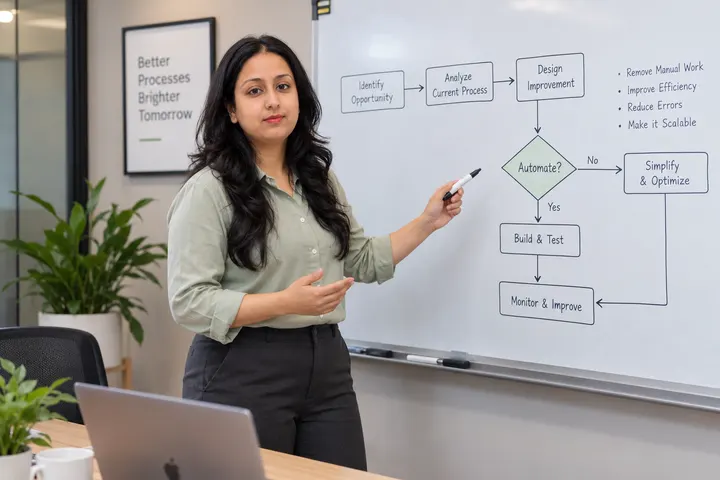
Khushbu presenting a data flow with connected steps, a decision and an approval
AI IN OPERATIONS8 min read

Generative AI can take real effort out of operational work, especially work that involves reading and writing. It can also produce confident, wrong output. The useful question is not "should we use AI?" but "at which step, and who checks it?"

Tasks where AI tends to help

These share a pattern: the output is a draft or a suggestion that a person can check quickly.

  • Drafting replies, summaries and first versions of documents.
  • Summarising long threads or meeting notes into actions.
  • Sorting or tagging incoming requests by type, for a person to confirm.
  • Extracting fields from documents into a structured form for review.
  • Turning a rough process description into a first-draft SOP.

Where a person should decide

Keep a human decision wherever the output affects money, commitments, people or compliance: approving payments, making promises to clients, hiring or performance decisions, and anything involving personal or regulated data. AI can prepare the information; a named person decides and is accountable.

Design the review step deliberately

A review step only works if it is easy to do properly. Show the reviewer the source alongside the AI output, ask them to approve, edit or reject, and record which they chose. If reviewers approve everything without reading, the review is decorative — shorten the output or narrow the task.

Handle data with care

Before sending business information to any AI tool, check what that tool does with the data and whether your agreements with clients allow it. When unsure, remove names and identifying details, or do not use the tool for that task. This article is general guidance, not legal or compliance advice.

Start small and measure honestly

Pick one task, run AI-assisted and manual versions side by side for a few weeks, and compare the time taken and the corrections needed. Keep the change only if it genuinely helps.

Key takeaways

  • Use AI for drafts and suggestions that a person checks.
  • Decisions about money, people and commitments stay human.
  • A review step must be easy enough to be done properly.

Educational material. Examples are illustrative, not client case studies or measured results. It is not legal, security or compliance advice.
Keep reading

Related articles

Khushbu at a laptop with a connected workflow diagram on the screen
Automation

Is this task ready to automate? A six-question test

Before you build anything, check whether the task is stable, rule-based and owned. Six questions that separate good automation candidates from expensive mistakes.

Khushbu explaining a process map with a decision point and a human review path
SOPs

How to write an SOP a new teammate can actually follow

A practical structure for standard operating procedures: purpose, trigger, owner, steps, decisions and exceptions — written so someone new can do the work without asking.

Khushbu explaining a process map with a decision point and a human review path
Operations

Process mapping in one hour: trigger, steps, owners and stall points

A lightweight way to map a business process with sticky notes or a whiteboard, find where work waits, and decide what to fix first.

Want to apply this
to your own work?

Bring one real process. We map it first and decide together what is worth automating.

APPNEURAL · PAID TECHNICAL MENTORSHIP

One question. A clearer next step.

Work directly with Ajay Prajapat on a learning, software architecture, product or AI question. ₹399 · 30 minutes · Remote.

Payment is through Razorpay for APPNEURAL Pvt Ltd. Confirm your session time with Ajay by email; payment does not reserve a calendar slot.

Pay ₹399 for mentorship ↗Review scope & scheduling ↗