Operations · Systems · Automation  /  Process first. Then automation.Explore free sessions ↗
Discuss Your Workflow ↗
DESIGN PREVIEW · Proposed offers & sample work · Dates / fees awaiting approval · No live payments
Automation

Webhooks explained for operations teams

What a webhook is, how it differs from a scheduled check, and what an operations person needs to know to work with developers or no-code tools that use them.

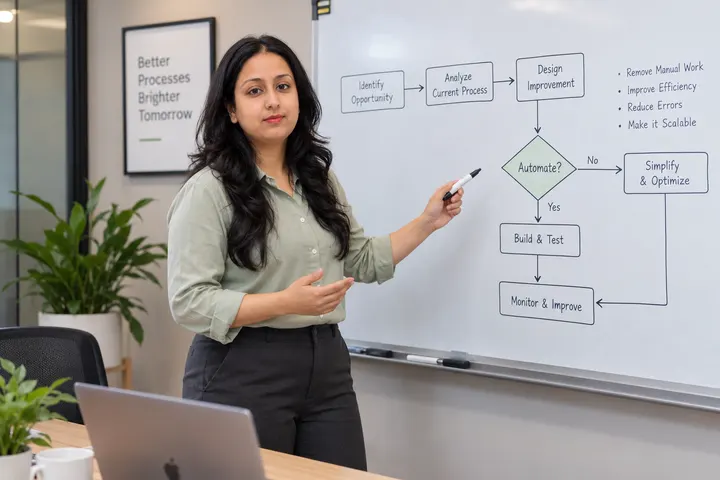
Khushbu presenting a data flow with connected steps, a decision and an approval
AUTOMATION6 min read

Webhooks come up in almost every automation conversation. You do not need to write code to understand them, and understanding them makes it much easier to design reliable workflows and talk to whoever builds them.

Polling versus webhooks

There are two basic ways for one system to learn that something happened in another. Polling means checking on a schedule: "every fifteen minutes, ask the form tool for new entries". A webhook means the other system sends a message the moment something happens: "a new entry was submitted; here are the details".

Webhooks are faster and avoid unnecessary checks. Polling is simpler to reason about and easier to recover when something is missed.

What is inside a webhook

A webhook is a small message sent to a web address you provide. It usually contains the event type (for example, "payment received") and the details as structured data. The receiving system reads it and starts the next step.

Questions to ask before relying on one

These are the questions that prevent most integration problems:

  • What happens if our system is down when the webhook is sent? Does the sender retry, and for how long?
  • Could the same event be sent twice? If so, how do we avoid processing it twice?
  • How do we know the message really came from the sender? (Most services sign their webhooks.)
  • Where can we see a log of webhooks received and failed?

A practical rule

For important events, combine both approaches: act on the webhook immediately, and run a daily check that compares the two systems to catch anything missed. That pairing gives speed and reliability.

Key takeaways

  • Webhooks push events; polling checks on a schedule.
  • Ask about retries, duplicates, verification and logs.
  • Pair webhooks with a periodic reconciliation for important events.

Educational material. Examples are illustrative, not client case studies or measured results. It is not legal, security or compliance advice.
Keep reading

Related articles

Khushbu at a laptop with a connected workflow diagram on the screen
Automation

Is this task ready to automate? A six-question test

Before you build anything, check whether the task is stable, rule-based and owned. Six questions that separate good automation candidates from expensive mistakes.

Khushbu at a laptop with a connected workflow diagram on the screen
Automation

Why automations fail silently, and how to design visible failure routes

Every automation will eventually fail. Plan where failures go, who is told, and how work is recovered, so problems are noticed in hours rather than weeks.

Khushbu explaining a process map with a decision point and a human review path
Automation

Handing over an automation so it survives the person who built it

What to document and transfer when an automation goes live: purpose, owner, accounts, triggers, failure routes and how to switch it off.

Want to apply this
to your own work?

Bring one real process. We map it first and decide together what is worth automating.

APPNEURAL · PAID TECHNICAL MENTORSHIP

One question. A clearer next step.

Work directly with Ajay Prajapat on a learning, software architecture, product or AI question. ₹399 · 30 minutes · Remote.

Payment is through Razorpay for APPNEURAL Pvt Ltd. Confirm your session time with Ajay by email; payment does not reserve a calendar slot.

Pay ₹399 for mentorship ↗Review scope & scheduling ↗